Building AI Agents: From First Principles to Production
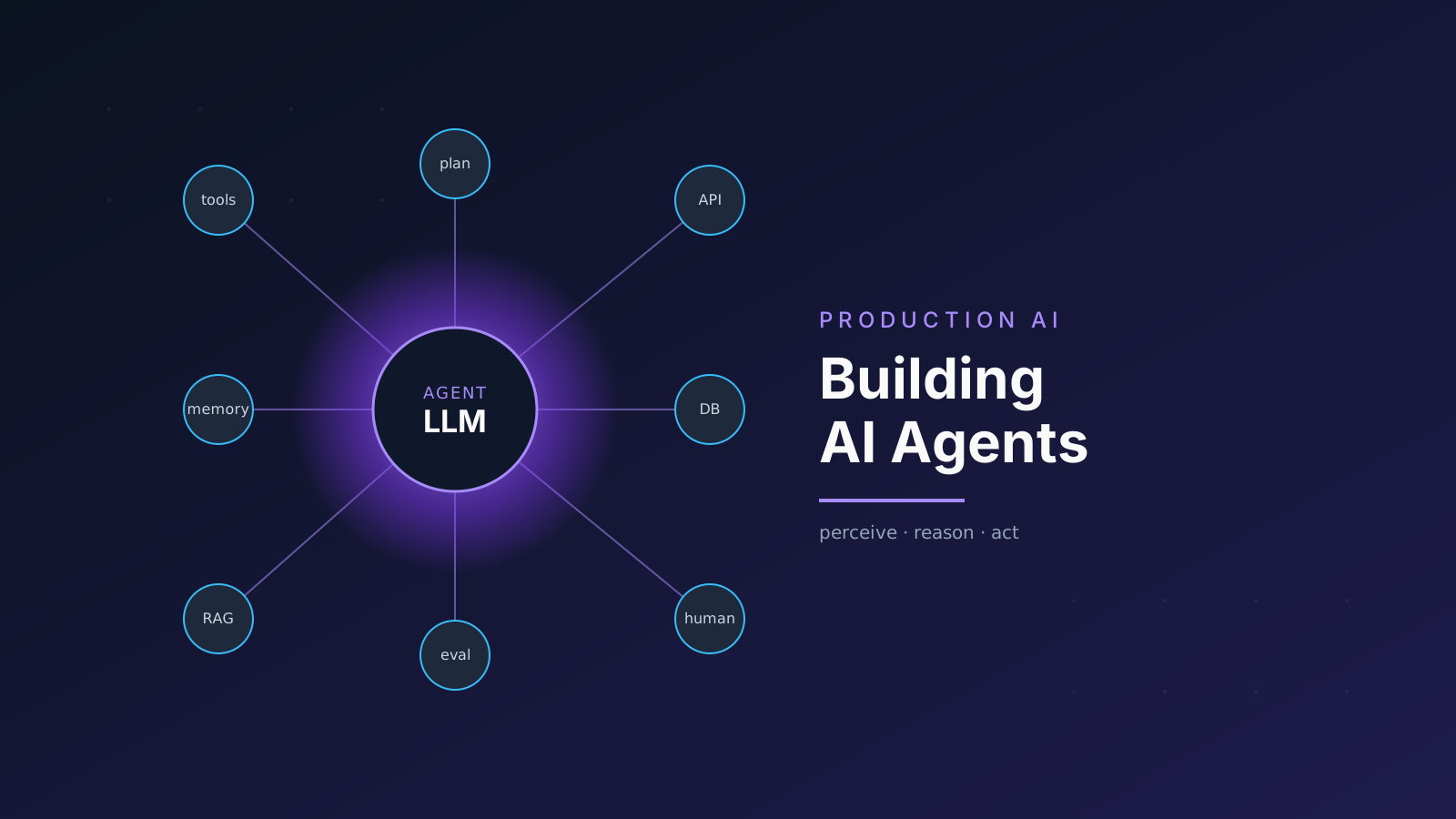
There's a useful test for whether you understand something: can you explain it simply? So let's start at the very beginning. Not with frameworks, not with acronyms, not with architecture diagrams. Just a question.
What does it actually mean for software to "do things"?
Part 1: The Simplest Possible Agent
Forget AI for a moment. Think about a thermostat.
A thermostat does three things:
- It senses the temperature.
- It decides whether the room is too cold or too hot.
- It acts by turning the heater on or off.
That's it. Sense, decide, act. The thermostat is, by the oldest and most useful definition in computer science, an agent: something that perceives its environment and takes actions to achieve a goal. Stuart Russell and Peter Norvig defined it this way back in 1995, and the definition still holds.
Now here's the interesting part: a large language model (LLM) by itself is not an agent. An LLM is a function. Text goes in, text comes out. It doesn't sense anything. It doesn't act on anything. It's a brain in a jar.
# This is NOT an agent. This is a function call.
from anthropic import Anthropic

client = Anthropic()

response = client.messages.create(
    model="claude-sonnet-4-20250514",
    max_tokens=1024,
    messages=[{"role": "user", "content": "What is the weather in NYC?"}]
)

print(response.content[0].text)
# Output: "I don't have access to real-time weather data..."
The model knows it can't answer. It's honest about it. But it's also helpless, because it has no way to go get the answer. It's a brilliant mind locked in a room with no windows and no doors.
An agent is what happens when you give that mind windows and doors.
Part 2: The Loop That Changes Everything
Here's the core insight, and once you see it, you can't unsee it: an agent is just an LLM running inside a loop.
Not a single call. A loop.
# The simplest possible agent (pseudocode)
while not done:
    thought = llm.think(context)       # What should I do?
    action = llm.choose_action(thought) # Pick a tool
    result = execute(action)            # Run the tool
    context.append(result)              # Remember what happened
    done = llm.is_finished(context)     # Are we done?
That's the whole thing. Every agent framework (LangChain, CrewAI, Google ADK, OpenAI Agents SDK) is an elaboration on this five-line loop. The sophistication is in the details, but the skeleton is always the same.
Let's make this concrete. Here's a real, working agent that can actually check the weather:
import json
import httpx
from anthropic import Anthropic

client = Anthropic()

# Step 1: Define what the agent CAN do (its "tools")
tools = [
    {
        "name": "get_weather",
        "description": "Get current weather for a city. Use this when asked about weather.",
        "input_schema": {
            "type": "object",
            "properties": {
                "city": {
                    "type": "string",
                    "description": "The city name, e.g. 'New York'"
                }
            },
            "required": ["city"]
        }
    }
]


def execute_tool(name: str, inputs: dict) -> str:
    """Actually run the tool and return a result."""
    if name == "get_weather":
        # In production, this would call a real weather API
        return json.dumps({
            "city": inputs["city"],
            "temperature": "72°F",
            "condition": "Partly cloudy",
            "humidity": "45%"
        })
    return json.dumps({"error": f"Unknown tool: {name}"})


def run_agent(user_message: str) -> str:
    """The agent loop."""
    messages = [{"role": "user", "content": user_message}]

    # Step 2: The Loop
    while True:
        response = client.messages.create(
            model="claude-sonnet-4-20250514",
            max_tokens=4096,
            tools=tools,
            messages=messages
        )

        # Step 3: Check if the model wants to use a tool
        if response.stop_reason == "tool_use":
            # The model decided it needs to act
            tool_block = next(
                b for b in response.content if b.type == "tool_use"
            )

            # Step 4: Execute the action
            result = execute_tool(tool_block.name, tool_block.input)

            # Step 5: Feed the result back into the loop
            messages.append({"role": "assistant", "content": response.content})
            messages.append({
                "role": "user",
                "content": [{
                    "type": "tool_result",
                    "tool_use_id": tool_block.id,
                    "content": result
                }]
            })
            # Loop continues; the model will see the result and decide what to do next

        else:
            # The model is done and has a final answer
            return response.content[0].text


# Run it
answer = run_agent("What's the weather like in New York?")
print(answer)
# "The weather in New York is currently 72°F and partly cloudy with 45% humidity."
Read that code carefully. Here's what happened:
- The user asked about weather.
- The LLM looked at its available tools and decided it should call
get_weather. - The tool ran and returned data.
- The result went back into the LLM's context.
- The LLM generated a natural language answer using the real data.
The LLM didn't just generate text. It reasoned about what it needed, acted on the world, and used the result to form its response. It went from a brain-in-a-jar to a brain-with-hands.
The Key Insight
An LLM becomes an agent the moment you put it in a loop with the ability to call tools. That's the entire conceptual shift. Everything else (memory, planning, multi-agent systems) is built on top of this foundation.
Part 3: Tool Calling
Let's go deeper into how tool calling actually works, because this is where the magic happens and also where things break.
How the LLM "Decides" to Use a Tool
This is the part that feels like magic but isn't. During fine-tuning, LLMs are trained on thousands of examples where the correct response to a question is not text, but a structured JSON object representing a tool call. The model learns patterns like:
- "What's the weather?" → I should call a weather tool
- "Send an email to Bob" → I should call an email tool
- "What's 7 * 832?" → I should call a calculator tool
The model doesn't "understand" tools the way you do. It has learned, through training, that certain inputs map to certain structured outputs. When you provide tool definitions in your API call, those definitions become part of the prompt. The model reads them, matches them against the user's intent, and generates the appropriate structured response.
# What the model actually "sees" (simplified)
"""
You have access to these tools:

get_weather(city: str) - Get current weather for a city
search_web(query: str) - Search the web for information
send_email(to: str, subject: str, body: str) - Send an email

User: What's the weather in Tokyo?

Based on the available tools, I should call:
"""

# And it generates:
# {"name": "get_weather", "input": {"city": "Tokyo"}}
Building Better Tools
The quality of your tools directly determines the quality of your agent. Here's what good tool design looks like:
from typing import Any


def define_tools() -> list[dict]:
    """
    Tool definitions are the 'API contract' between your agent and the world.

    Three rules:
    1. Clear names: the model picks tools by name first
    2. Precise descriptions: tell the model WHEN to use it, not just what it does
    3. Strict schemas: validate everything, assume the model will make mistakes
    """
    return [
        {
            "name": "search_knowledge_base",
            "description": (
                "Search the internal knowledge base for company policies, "
                "procedures, and documentation. Use this BEFORE searching the web "
                "when the user asks about internal processes. Returns the top 5 "
                "most relevant documents with snippets."
            ),
            "input_schema": {
                "type": "object",
                "properties": {
                    "query": {
                        "type": "string",
                        "description": "Natural language search query"
                    },
                    "department": {
                        "type": "string",
                        "enum": ["engineering", "hr", "finance", "legal"],
                        "description": "Filter by department (optional)"
                    }
                },
                "required": ["query"]
            }
        },
        {
            "name": "create_jira_ticket",
            "description": (
                "Create a new Jira ticket. Only use this when the user explicitly "
                "asks to create a ticket or when a clear action item has been "
                "identified and confirmed. Never create tickets speculatively."
            ),
            "input_schema": {
                "type": "object",
                "properties": {
                    "title": {
                        "type": "string",
                        "description": "Brief, descriptive ticket title"
                    },
                    "description": {
                        "type": "string",
                        "description": "Detailed description of the issue or task"
                    },
                    "priority": {
                        "type": "string",
                        "enum": ["low", "medium", "high", "critical"],
                        "description": "Ticket priority level"
                    },
                    "assignee": {
                        "type": "string",
                        "description": "Email of the person to assign the ticket to"
                    }
                },
                "required": ["title", "description", "priority"]
            }
        }
    ]
Notice the descriptions. They don't just say what the tool does. They tell the model when to use it and when not to. This is critical. The model is reading these descriptions as instructions, and vague descriptions lead to wrong tool selections.
The #1 Tool Calling Mistake
Vague tool descriptions are the single biggest source of agent failures. "Search the database" is bad. "Search the product catalog for items matching a customer query. Use this when the customer is looking for a specific product or browsing categories. Returns product name, price, and availability." is good.
Handling Tool Errors
Agents will make mistakes. The model might call the wrong tool, pass invalid arguments, or the tool itself might fail. Your agent needs to handle all of this gracefully:
def execute_tool_safely(name: str, inputs: dict, available_tools: dict) -> dict:
    """
    Execute a tool with comprehensive error handling.

    Returns a dict with 'success' flag and either 'result' or 'error'.
    The error message goes back to the LLM so it can try a different approach.
    """
    # Guard: Does this tool even exist?
    if name not in available_tools:
        return {
            "success": False,
            "error": (
                f"Tool '{name}' does not exist. "
                f"Available tools: {list(available_tools.keys())}"
            )
        }

    tool_fn = available_tools[name]

    try:
        result = tool_fn(**inputs)
        return {"success": True, "result": result}

    except TypeError as e:
        # Wrong arguments: the model passed bad inputs
        return {
            "success": False,
            "error": f"Invalid arguments for '{name}': {str(e)}"
        }

    except TimeoutError:
        return {
            "success": False,
            "error": f"Tool '{name}' timed out. Try a simpler query."
        }

    except Exception as e:
        return {
            "success": False,
            "error": f"Tool '{name}' failed: {str(e)}"
        }
The key insight here: error messages go back to the LLM. When a tool fails, the model sees the error in its next iteration of the loop, and it can reason about what went wrong and try a different approach. This is self-correction in action, the agent equivalent of a human going "hmm, that didn't work, let me try something else."
Part 4: The ReAct Pattern
Now we get to the pattern that powers almost every serious agent in production: ReAct (Reasoning + Acting).
The idea, introduced by Yao et al. in 2022, is beautifully simple: instead of having the model just pick a tool, have it explain its reasoning first. The loop becomes:
Thought → Action → Observation → Thought → Action → Observation → ... → AnswerWhy does this work? For the same reason that showing your work on a math test helps you get the right answer. When the model verbalizes its reasoning, it constrains its own behavior. It creates a "chain of thought" that makes each next step more logical and more grounded in what it actually knows.
Here's a full ReAct agent implementation:
import json
import re
from anthropic import Anthropic

client = Anthropic()

REACT_SYSTEM_PROMPT = """You are a helpful research assistant.

When given a task, you MUST follow this exact format for each step:

Thought: [Your reasoning about what to do next]
Action: [tool_name]
Action Input: [JSON input for the tool]

After receiving an observation (tool result), continue with another
Thought/Action cycle, or provide your final answer:

Thought: I now have enough information to answer.
Final Answer: [Your complete answer to the user's question]

Available tools:
- search_web: Search the web for current information
  Input: {"query": "search terms"}
- calculate: Perform mathematical calculations
  Input: {"expression": "math expression"}
- lookup_definition: Look up the definition of a term
  Input: {"term": "word or phrase"}

Always think step by step. Never guess when you can look things up."""


def search_web(query: str) -> str:
    """Simulated web search; replace with real implementation."""
    results = {
        "GDP of Japan 2025": "Japan's GDP in 2025 was approximately $4.4 trillion.",
        "population of Tokyo": "Tokyo's population is approximately 13.96 million.",
    }
    for key, value in results.items():
        if key.lower() in query.lower():
            return value
    return f"No results found for: {query}"


def calculate(expression: str) -> str:
    """Safe math evaluation."""
    try:
        # Only allow basic math operations
        allowed = set("0123456789+-*/.() ")
        if not all(c in allowed for c in expression):
            return "Error: Only basic arithmetic is supported"
        result = eval(expression)  # In production, use a proper math parser
        return str(result)
    except Exception as e:
        return f"Calculation error: {e}"


def lookup_definition(term: str) -> str:
    """Simulated dictionary lookup."""
    definitions = {
        "gdp": "Gross Domestic Product: the total monetary value of all goods and services produced within a country's borders in a specific time period.",
    }
    return definitions.get(term.lower(), f"No definition found for: {term}")


TOOLS = {
    "search_web": search_web,
    "calculate": calculate,
    "lookup_definition": lookup_definition,
}


def parse_action(text: str) -> tuple[str | None, dict | None]:
    """Extract tool name and input from the model's response."""
    action_match = re.search(r"Action:\s*(\w+)", text)
    input_match = re.search(r"Action Input:\s*({.*?})", text, re.DOTALL)

    if action_match and input_match:
        tool_name = action_match.group(1)
        try:
            tool_input = json.loads(input_match.group(1))
            return tool_name, tool_input
        except json.JSONDecodeError:
            return tool_name, {}
    return None, None


def run_react_agent(question: str, max_steps: int = 10) -> str:
    """
    Run a ReAct agent loop.

    The agent will think, act, and observe in a loop until it reaches
    a final answer or hits the step limit.
    """
    messages = [{"role": "user", "content": question}]
    full_scratchpad = ""

    for step in range(max_steps):
        response = client.messages.create(
            model="claude-sonnet-4-20250514",
            max_tokens=2048,
            system=REACT_SYSTEM_PROMPT,
            messages=messages
        )

        assistant_text = response.content[0].text
        full_scratchpad += assistant_text + "\n"

        # Check for final answer
        if "Final Answer:" in assistant_text:
            final = assistant_text.split("Final Answer:")[-1].strip()
            return final

        # Parse the action
        tool_name, tool_input = parse_action(assistant_text)

        if tool_name and tool_name in TOOLS:
            # Execute the tool
            observation = TOOLS[tool_name](**tool_input)

            # Feed observation back into the loop
            messages.append({"role": "assistant", "content": assistant_text})
            messages.append({
                "role": "user",
                "content": f"Observation: {observation}"
            })
        else:
            # No valid action; ask the model to try again
            messages.append({"role": "assistant", "content": assistant_text})
            messages.append({
                "role": "user",
                "content": "Observation: Could not parse a valid action. Please use the correct format."
            })

    return "Agent reached step limit without finding an answer."


# Example run
answer = run_react_agent(
    "What is GDP, and what was Japan's GDP in 2025? "
    "Express it in trillions and calculate what it would be if it grew 3%."
)
print(answer)
When this runs, the agent's "thinking" looks something like:
Thought: The user is asking three things: (1) what GDP means,
(2) Japan's GDP in 2025, and (3) a 3% growth calculation.
Let me start by looking up the definition of GDP.

Action: lookup_definition
Action Input: {"term": "GDP"}

Observation: Gross Domestic Product: the total monetary value of
all goods and services produced within a country's borders...

Thought: Good, I have the definition. Now I need Japan's actual GDP.

Action: search_web
Action Input: {"query": "GDP of Japan 2025"}

Observation: Japan's GDP in 2025 was approximately $4.4 trillion.

Thought: Now I need to calculate 3% growth on $4.4 trillion.

Action: calculate
Action Input: {"expression": "4.4 * 1.03"}

Observation: 4.532

Thought: I now have enough information to answer.

Final Answer: GDP (Gross Domestic Product) is the total monetary
value of all goods and services produced within a country's borders
in a specific time period. Japan's GDP in 2025 was approximately
$4.4 trillion. With 3% growth,
it would be approximately $4.53 trillion.
This is the power of ReAct: every step is visible, debuggable, and traceable. You can see exactly why the agent made each decision. In production, this observability is invaluable.
Part 5: Memory
A chatbot forgets everything the moment the conversation ends. An agent remembers.
Memory is what allows agents to build up knowledge over time, learn from past interactions, and maintain context across long, complex tasks. There are three kinds of memory that matter:
| Memory Type | What It Stores | How Long It Lasts | Implementation |
|---|---|---|---|
| Working Memory | Current conversation, active task state | Single session | Context window / messages array |
| Episodic Memory | Past interactions, completed tasks | Persistent | Event store / database |
| Semantic Memory | Facts, knowledge, learned information | Persistent | Vector database |
Building a Vector Memory System
The most common approach to long-term memory is vector search: you convert text into numerical representations (embeddings), store them, and retrieve the most similar ones when needed.
import json
import hashlib
from datetime import datetime
from dataclasses import dataclass, field

import chromadb
from anthropic import Anthropic


@dataclass
class MemoryEntry:
    """A single memory: something the agent learned or experienced."""
    content: str
    metadata: dict = field(default_factory=dict)
    timestamp: str = field(default_factory=lambda: datetime.now().isoformat())
    memory_id: str = ""

    def __post_init__(self):
        if not self.memory_id:
            raw = f"{self.content}{self.timestamp}"
            self.memory_id = hashlib.sha256(raw.encode()).hexdigest()[:16]


class AgentMemory:
    """
    A memory system for an AI agent using ChromaDB for vector search.

    This gives the agent two superpowers:
    1. It can store things it learns for later retrieval
    2. It can search its past memories by semantic similarity
    """

    def __init__(self, collection_name: str = "agent_memories"):
        self.client = Anthropic()
        self.db = chromadb.PersistentClient(path="./agent_memory_db")
        self.collection = self.db.get_or_create_collection(
            name=collection_name,
            metadata={"hnsw:space": "cosine"}  # Use cosine similarity
        )

    def store(self, content: str, metadata: dict | None = None) -> MemoryEntry:
        """
        Store a new memory.

        The content is embedded and stored in the vector database.
        Metadata can include things like source, topic, importance, etc.
        """
        entry = MemoryEntry(
            content=content,
            metadata=metadata or {}
        )

        self.collection.add(
            documents=[entry.content],
            metadatas=[{
                **entry.metadata,
                "timestamp": entry.timestamp
            }],
            ids=[entry.memory_id]
        )

        return entry

    def recall(self, query: str, k: int = 5) -> list[dict]:
        """
        Search memories by semantic similarity.

        This is like asking "what do I know about X?". It returns
        the memories most relevant to the query, ranked by similarity.
        """
        results = self.collection.query(
            query_texts=[query],
            n_results=min(k, self.collection.count())
        )

        memories = []
        if results and results["documents"]:
            for i, doc in enumerate(results["documents"][0]):
                memories.append({
                    "content": doc,
                    "metadata": results["metadatas"][0][i] if results["metadatas"] else {},
                    "similarity": 1 - results["distances"][0][i] if results["distances"] else 0
                })

        return memories

    def forget(self, memory_id: str):
        """Remove a specific memory."""
        self.collection.delete(ids=[memory_id])

    def count(self) -> int:
        """How many memories does the agent have?"""
        return self.collection.count()


# Usage example
memory = AgentMemory()

# The agent learns things during conversations
memory.store(
    "The user prefers concise answers with code examples.",
    metadata={"type": "user_preference", "importance": "high"}
)

memory.store(
    "Deployed the payment service to production on 2026-03-15. "
    "Had to rollback due to a race condition in the checkout flow.",
    metadata={"type": "incident", "service": "payments"}
)

memory.store(
    "The team uses Python 3.12, FastAPI, and PostgreSQL for backend services.",
    metadata={"type": "technical_context", "team": "backend"}
)

# Later, when the agent needs context...
relevant = memory.recall("What tech stack does the team use?")
for m in relevant:
    print(f"[{m['similarity']:.2f}] {m['content']}")
Integrating Memory into the Agent Loop
Memory transforms our agent loop. Before each response, the agent retrieves relevant memories. After each interaction, it stores what it learned:
def run_agent_with_memory(
    user_message: str,
    memory: AgentMemory,
    tools: list[dict]
) -> str:
    """An agent loop enhanced with long-term memory."""

    # Step 1: Recall relevant memories
    memories = memory.recall(user_message, k=3)
    memory_context = "\n".join(
        f"- {m['content']}" for m in memories
    ) if memories else "No relevant memories found."

    # Step 2: Build the system prompt with memory
    system = f"""You are a helpful AI assistant with memory of past interactions.

Relevant memories from past conversations:
{memory_context}

Use these memories to provide more personalized and contextual responses.
If a memory contradicts the current conversation, trust the current conversation."""

    messages = [{"role": "user", "content": user_message}]

    # Step 3: Run the agent loop (same as before)
    while True:
        response = client.messages.create(
            model="claude-sonnet-4-20250514",
            max_tokens=4096,
            system=system,
            tools=tools,
            messages=messages
        )

        if response.stop_reason == "tool_use":
            tool_block = next(b for b in response.content if b.type == "tool_use")
            result = execute_tool(tool_block.name, tool_block.input)
            messages.append({"role": "assistant", "content": response.content})
            messages.append({
                "role": "user",
                "content": [{
                    "type": "tool_result",
                    "tool_use_id": tool_block.id,
                    "content": result
                }]
            })
        else:
            final_response = response.content[0].text

            # Step 4: Store what the agent learned
            memory.store(
                f"User asked: {user_message}\nKey takeaway: {final_response[:200]}",
                metadata={"type": "conversation", "topic": user_message[:50]}
            )

            return final_response
Part 6: Agentic Workflow Patterns
Not every agent needs to be a free-roaming autonomous reasoner. In fact, Anthropic's guide on building effective agents argues that the simplest solution that works is usually the right one. Before reaching for a complex agent, consider whether a simpler workflow pattern would do the job.
Here are the core patterns, ordered from simple to complex:
Pattern 1: Prompt Chaining
The simplest pattern. Each step feeds into the next, with optional validation gates between steps.
def prompt_chain(document: str) -> dict:
    """
    Analyze a document in three chained steps.
    Each step's output becomes the next step's input.
    """
    # Step 1: Extract key entities
    entities = call_llm(
        f"Extract all named entities (people, companies, dates) from this document. "
        f"Return as JSON.\n\nDocument: {document}"
    )

    # Gate: Validate extraction
    if not entities or len(entities) == 0:
        return {"error": "No entities found in document"}

    # Step 2: Classify the document
    classification = call_llm(
        f"Given these entities: {entities}\n\n"
        f"Classify this document as one of: contract, invoice, report, memo.\n\n"
        f"Document: {document}"
    )

    # Step 3: Generate summary using both previous outputs
    summary = call_llm(
        f"Write a 3-sentence summary of this {classification} document.\n"
        f"Key entities: {entities}\n\n"
        f"Document: {document}"
    )

    return {
        "entities": entities,
        "type": classification,
        "summary": summary
    }
Pattern 2: Routing
A classifier sends inputs to specialized handlers. Think of it as a traffic cop for prompts.
def route_query(user_query: str) -> str:
    """Route a user query to the appropriate specialist."""

    # Step 1: Classify the query
    category = call_llm(
        f"Classify this user query into exactly one category:\n"
        f"- billing: payment issues, invoices, refunds\n"
        f"- technical: bugs, errors, how-to questions\n"
        f"- sales: pricing, plans, upgrades\n"
        f"- general: everything else\n\n"
        f"Query: {user_query}\n"
        f"Category:"
    )

    # Step 2: Route to specialized handler
    handlers = {
        "billing": handle_billing_query,
        "technical": handle_technical_query,
        "sales": handle_sales_query,
        "general": handle_general_query,
    }

    handler = handlers.get(category.strip().lower(), handle_general_query)
    return handler(user_query)
Pattern 3: Parallelization
When subtasks are independent, run them concurrently. This dramatically reduces latency.
import asyncio
from anthropic import AsyncAnthropic

async_client = AsyncAnthropic()


async def parallel_analysis(code: str) -> dict:
    """
    Analyze code from multiple angles simultaneously.
    Each analysis is independent, so we can parallelize.
    """

    async def analyze(aspect: str, prompt: str) -> tuple[str, str]:
        response = await async_client.messages.create(
            model="claude-sonnet-4-20250514",
            max_tokens=1024,
            messages=[{"role": "user", "content": f"{prompt}\n\nCode:\n{code}"}]
        )
        return aspect, response.content[0].text

    # Launch all analyses concurrently
    tasks = [
        analyze("security", "Identify security vulnerabilities in this code."),
        analyze("performance", "Identify performance bottlenecks in this code."),
        analyze("readability", "Rate the readability and suggest improvements."),
        analyze("testing", "What test cases are missing for this code?"),
    ]

    results = await asyncio.gather(*tasks)
    return dict(results)


# Run the parallel analysis
analysis = asyncio.run(parallel_analysis("""
def transfer_funds(from_account, to_account, amount):
    balance = get_balance(from_account)
    if balance >= amount:
        debit(from_account, amount)
        credit(to_account, amount)
    return balance - amount
"""))
Pattern 4: Orchestrator-Workers
A central "orchestrator" agent dynamically breaks down tasks and delegates to specialized workers. This is the pattern behind tools like Claude Code.
def orchestrator(task: str, available_workers: dict) -> str:
    """
    An orchestrator agent that decomposes tasks and delegates to workers.

    The orchestrator decides:
    1. What subtasks are needed
    2. Which worker handles each subtask
    3. How to combine the results
    """
    # Step 1: Plan the work
    plan = call_llm(
        f"You are a task orchestrator. Break this task into subtasks.\n\n"
        f"Task: {task}\n\n"
        f"Available workers and their capabilities:\n"
        + "\n".join(f"- {name}: {desc}" for name, desc in available_workers.items())
        + "\n\nReturn a JSON list of subtasks with 'worker' and 'instruction' fields."
    )

    subtasks = json.loads(plan)

    # Step 2: Execute each subtask with the appropriate worker
    results = []
    for subtask in subtasks:
        worker_name = subtask["worker"]
        instruction = subtask["instruction"]

        worker_fn = available_workers[worker_name]["fn"]
        result = worker_fn(instruction)

        results.append({
            "subtask": instruction,
            "worker": worker_name,
            "result": result
        })

    # Step 3: Synthesize the results
    synthesis = call_llm(
        f"Original task: {task}\n\n"
        f"Subtask results:\n{json.dumps(results, indent=2)}\n\n"
        f"Synthesize these results into a coherent final response."
    )

    return synthesis
Pattern 5: Evaluator-Optimizer
One model generates, another evaluates. The loop continues until quality meets the bar.
def evaluator_optimizer(task: str, max_iterations: int = 3) -> str:
    """
    Generate-evaluate-refine loop.

    One LLM call generates a solution.
    Another evaluates it against criteria.
    If it doesn't pass, it gets refined with specific feedback.
    """
    criteria = (
        "1. Accuracy: All facts must be correct\n"
        "2. Completeness: All aspects of the task must be addressed\n"
        "3. Clarity: The response must be easy to understand\n"
        "4. Actionability: The response must include concrete next steps"
    )

    # Initial generation
    draft = call_llm(f"Complete this task:\n{task}")

    for i in range(max_iterations):
        # Evaluate the draft
        evaluation = call_llm(
            f"Evaluate this response against the criteria.\n\n"
            f"Task: {task}\n"
            f"Response: {draft}\n"
            f"Criteria:\n{criteria}\n\n"
            f"For each criterion, rate as PASS or FAIL with explanation.\n"
            f"At the end, give an overall verdict: APPROVED or NEEDS_REVISION"
        )

        if "APPROVED" in evaluation:
            return draft

        # Refine based on feedback
        draft = call_llm(
            f"Revise this response based on the feedback.\n\n"
            f"Original task: {task}\n"
            f"Current draft: {draft}\n"
            f"Feedback: {evaluation}\n\n"
            f"Provide an improved version that addresses all the feedback."
        )

    return draft  # Return best effort after max iterations
Choosing the Right Pattern
Start with the simplest pattern that could work. Prompt chaining handles 80% of use cases. Only reach for orchestrator-workers or autonomous agents when the task genuinely requires dynamic decision-making that you can't predict in advance.
Part 7: The Protocol Layer (MCP and A2A)
As agents move into production, a new challenge emerges: standardization. Every agent needs to connect to tools and data sources. Without standards, every integration is a one-off custom build.
Two protocols have emerged as the foundation of the agentic ecosystem:
MCP (Model Context Protocol)
Anthropic released MCP in late 2024, and it has become the standard for how agents connect to tools. Think of MCP as USB-C for AI: a universal interface that any agent can use to connect to any tool.
MCP uses a client-server architecture:
# Conceptual MCP flow (simplified)

# 1. The MCP Server exposes tools
# (This could be a database, API, file system, etc.)
class PostgresMCPServer:
    """An MCP server that lets agents query a PostgreSQL database."""

    def list_tools(self):
        return [
            {
                "name": "query_database",
                "description": "Execute a read-only SQL query",
                "input_schema": {
                    "type": "object",
                    "properties": {
                        "sql": {"type": "string", "description": "SQL SELECT query"}
                    },
                    "required": ["sql"]
                }
            }
        ]

    def call_tool(self, name: str, arguments: dict):
        if name == "query_database":
            # Execute the query safely (read-only)
            return self.execute_readonly(arguments["sql"])


# 2. The MCP Client (inside the agent) discovers and calls tools
class MCPClient:
    """Connects an agent to MCP servers."""

    def __init__(self, servers: list):
        self.servers = servers
        self.available_tools = []

    def discover_tools(self):
        """Ask each server what tools it offers."""
        for server in self.servers:
            tools = server.list_tools()
            for tool in tools:
                tool["server"] = server
                self.available_tools.append(tool)
        return self.available_tools

    def call_tool(self, name: str, arguments: dict):
        """Route a tool call to the right server."""
        for tool in self.available_tools:
            if tool["name"] == name:
                return tool["server"].call_tool(name, arguments)
        raise ValueError(f"Tool not found: {name}")
The power of MCP is its universality. Build an MCP server once, and every MCP-compatible agent (Claude, Gemini, GPT, open-source models) can use it. As of early 2026, the ecosystem has grown to include MCP servers for databases, cloud platforms, developer tools, CRMs, and much more.
A2A (Agent-to-Agent Protocol)
While MCP handles agent-to-tool communication, Google's A2A protocol (released April 2025) handles agent-to-agent communication. It answers the question: "How do agents from different vendors collaborate?"
A2A introduces the concept of Agent Cards: standardized capability declarations.
# Conceptual A2A Agent Card
agent_card = {
    "name": "financial-analysis-agent",
    "description": "Analyzes financial documents and generates reports",
    "version": "1.0",
    "capabilities": [
        {
            "name": "analyze_financial_statement",
            "description": "Perform detailed analysis of a financial statement",
            "input_schema": {
                "type": "object",
                "properties": {
                    "document": {"type": "string"},
                    "analysis_type": {
                        "type": "string",
                        "enum": ["profitability", "liquidity", "solvency"]
                    }
                }
            }
        }
    ],
    "endpoint": "https://agents.company.com/financial-analysis",
    "auth": {"type": "oauth2"}
}

# An orchestrator agent discovers specialists via Agent Cards
# and delegates tasks through the A2A protocol
The three-layer protocol stack that's emerging:
- MCP: agents talk to tools
- A2A: agents talk to agents
- WebMCP: agents interact with web content
Together, they form the communication backbone of the agentic ecosystem.
Part 8: Production Considerations
Building a demo agent is easy. Building one that works reliably in production is hard. Here are the things that will bite you:
Latency
Every iteration of the agent loop is an LLM call. Each call takes 1 to 5 seconds. An agent that takes 5 steps to answer a question has 5 to 25 seconds of latency. Strategies:
# 1. Stream responses so the user sees progress
async def stream_agent_response(user_message: str):
    """Stream the agent's thinking process to the user."""
    async with client.messages.stream(
        model="claude-sonnet-4-20250514",
        max_tokens=4096,
        messages=[{"role": "user", "content": user_message}]
    ) as stream:
        async for text in stream.text_stream:
            yield text  # Send each token to the user as it's generated

# 2. Use parallel tool calls when possible
# If the model needs to search AND calculate, do both at once

# 3. Use lighter models for simple steps
# Not every step needs the most powerful model
Cost
Token usage adds up fast. A complex agent with 10 steps, each consuming 4K tokens of context, burns through 40K+ tokens per request.
# Cost management strategies

# 1. Cache aggressively
from functools import lru_cache

@lru_cache(maxsize=1000)
def cached_tool_call(tool_name: str, args_hash: str) -> str:
    """Cache tool results: same inputs, same outputs."""
    return execute_tool(tool_name, args_from_hash(args_hash))

# 2. Compress context between steps
def compress_history(messages: list, max_tokens: int = 4000) -> list:
    """Summarize older messages to stay within context budget."""
    if estimate_tokens(messages) <= max_tokens:
        return messages

    # Keep the system prompt and last 2 exchanges
    # Summarize everything else
    summary = call_llm(
        "Summarize the key facts from this conversation history: "
        + format_messages(messages[1:-4])
    )

    return [
        messages[0],  # System prompt
        {"role": "user", "content": f"Previous context: {summary}"},
        *messages[-4:]  # Last 2 exchanges
    ]

# 3. Use the right model for the right task
MODEL_ROUTING = {
    "classification": "claude-haiku-4-5-20251001",   # Fast, cheap
    "analysis": "claude-sonnet-4-20250514",            # Balanced
    "complex_reasoning": "claude-opus-4-6",            # Most capable
}
Reliability
LLMs are non-deterministic. The same input can produce different outputs. Your agent needs to be robust to this:
import time

def reliable_agent_step(
    messages: list,
    tools: list,
    max_retries: int = 3,
    timeout: float = 30.0
) -> dict:
    """
    A single agent step with retries and timeout.

    In production, every LLM call needs this kind of wrapping.
    """
    for attempt in range(max_retries):
        try:
            response = client.messages.create(
                model="claude-sonnet-4-20250514",
                max_tokens=4096,
                tools=tools,
                messages=messages,
                timeout=timeout
            )
            return {"success": True, "response": response}

        except Exception as e:
            if attempt < max_retries - 1:
                wait = 2 ** attempt  # Exponential backoff
                time.sleep(wait)
                continue
            return {"success": False, "error": str(e)}
Observability
You need to see what your agent is doing. Log everything:
import logging
from datetime import datetime

logger = logging.getLogger("agent")


def instrumented_agent_loop(user_message: str) -> str:
    """An agent loop with full observability."""
    trace_id = generate_trace_id()
    step = 0

    logger.info(f"[{trace_id}] Agent started | Input: {user_message[:100]}")

    messages = [{"role": "user", "content": user_message}]

    while True:
        step += 1
        start_time = datetime.now()

        response = client.messages.create(
            model="claude-sonnet-4-20250514",
            max_tokens=4096,
            tools=tools,
            messages=messages
        )

        elapsed = (datetime.now() - start_time).total_seconds()

        logger.info(
            f"[{trace_id}] Step {step} | "
            f"Stop reason: {response.stop_reason} | "
            f"Tokens: {response.usage.input_tokens}in/{response.usage.output_tokens}out | "
            f"Latency: {elapsed:.2f}s"
        )

        if response.stop_reason == "tool_use":
            tool_block = next(b for b in response.content if b.type == "tool_use")
            logger.info(
                f"[{trace_id}] Tool call: {tool_block.name} | "
                f"Input: {json.dumps(tool_block.input)[:200]}"
            )

            result = execute_tool(tool_block.name, tool_block.input)
            logger.info(f"[{trace_id}] Tool result: {str(result)[:200]}")

            messages.append({"role": "assistant", "content": response.content})
            messages.append({
                "role": "user",
                "content": [{
                    "type": "tool_result",
                    "tool_use_id": tool_block.id,
                    "content": result
                }]
            })
        else:
            final = response.content[0].text
            logger.info(
                f"[{trace_id}] Agent completed | "
                f"Steps: {step} | "
                f"Response length: {len(final)}"
            )
            return final
The Golden Rule of Agent Safety
Never give agents access to destructive actions without human approval. Start with read-only tools. Add write access gradually, with confirmation gates for irreversible actions. A rogue agent that can read your database is annoying. A rogue agent that can delete your database is catastrophic.
Part 9: Putting It All Together
Let's build a complete, production-style agent that combines everything we've covered: tools, memory, the ReAct loop, error handling, and observability.
"""
A production-style AI agent that can:
- Search the web for information
- Store and recall memories
- Perform calculations
- Generate structured reports

This combines all the patterns from the article into a single system.
"""

import json
import logging
from datetime import datetime
from dataclasses import dataclass, field
from anthropic import Anthropic

logging.basicConfig(level=logging.INFO)
logger = logging.getLogger("production_agent")

client = Anthropic()


@dataclass
class AgentConfig:
    """Configuration for the agent."""
    model: str = "claude-sonnet-4-20250514"
    max_steps: int = 15
    max_tokens: int = 4096
    temperature: float = 0.0  # Deterministic for production


@dataclass
class AgentState:
    """Tracks the agent's state across the loop."""
    messages: list = field(default_factory=list)
    step_count: int = 0
    total_input_tokens: int = 0
    total_output_tokens: int = 0
    tool_calls: list = field(default_factory=list)
    started_at: str = field(
        default_factory=lambda: datetime.now().isoformat()
    )


class ProductionAgent:
    """
    A complete agent with tools, memory, and observability.

    This is what a real agent looks like in production. Not a demo,
    but a system designed to be reliable, observable, and safe.
    """

    def __init__(self, config: AgentConfig | None = None):
        self.config = config or AgentConfig()
        self.tools = self._define_tools()
        self.tool_implementations = {
            "search_web": self._search_web,
            "store_memory": self._store_memory,
            "recall_memories": self._recall_memories,
            "calculate": self._calculate,
        }

    def _define_tools(self) -> list[dict]:
        return [
            {
                "name": "search_web",
                "description": (
                    "Search the web for current information. Use this when "
                    "you need facts, data, or information that might not be "
                    "in your training data."
                ),
                "input_schema": {
                    "type": "object",
                    "properties": {
                        "query": {
                            "type": "string",
                            "description": "Search query (keep it concise)"
                        }
                    },
                    "required": ["query"]
                }
            },
            {
                "name": "store_memory",
                "description": (
                    "Store an important fact or insight for future reference. "
                    "Use this when you learn something the user might need later."
                ),
                "input_schema": {
                    "type": "object",
                    "properties": {
                        "content": {
                            "type": "string",
                            "description": "The information to remember"
                        },
                        "topic": {
                            "type": "string",
                            "description": "Topic category for this memory"
                        }
                    },
                    "required": ["content", "topic"]
                }
            },
            {
                "name": "recall_memories",
                "description": (
                    "Search your stored memories for relevant information. "
                    "Use this before answering questions that might relate "
                    "to past conversations."
                ),
                "input_schema": {
                    "type": "object",
                    "properties": {
                        "query": {
                            "type": "string",
                            "description": "What are you trying to remember?"
                        }
                    },
                    "required": ["query"]
                }
            },
            {
                "name": "calculate",
                "description": (
                    "Perform mathematical calculations. Use this for any "
                    "arithmetic, percentages, or numerical analysis."
                ),
                "input_schema": {
                    "type": "object",
                    "properties": {
                        "expression": {
                            "type": "string",
                            "description": "Math expression (e.g., '100 * 1.05')"
                        }
                    },
                    "required": ["expression"]
                }
            }
        ]

    def run(self, user_message: str) -> str:
        """
        Run the agent on a user message.

        Returns the agent's final response.
        """
        state = AgentState()
        state.messages = [{"role": "user", "content": user_message}]

        system_prompt = self._build_system_prompt()

        logger.info(f"Agent started | Input: {user_message[:100]}")

        while state.step_count < self.config.max_steps:
            state.step_count += 1

            try:
                response = client.messages.create(
                    model=self.config.model,
                    max_tokens=self.config.max_tokens,
                    system=system_prompt,
                    tools=self.tools,
                    messages=state.messages
                )
            except Exception as e:
                logger.error(f"LLM call failed at step {state.step_count}: {e}")
                return "I encountered an error. Please try again."

            # Track token usage
            state.total_input_tokens += response.usage.input_tokens
            state.total_output_tokens += response.usage.output_tokens

            if response.stop_reason == "tool_use":
                # Process tool calls
                state.messages.append({
                    "role": "assistant",
                    "content": response.content
                })

                tool_results = []
                for block in response.content:
                    if block.type == "tool_use":
                        result = self._execute_tool(block.name, block.input)
                        state.tool_calls.append({
                            "step": state.step_count,
                            "tool": block.name,
                            "input": block.input,
                            "success": result.get("success", False)
                        })

                        tool_results.append({
                            "type": "tool_result",
                            "tool_use_id": block.id,
                            "content": json.dumps(result)
                        })

                state.messages.append({
                    "role": "user",
                    "content": tool_results
                })

            else:
                # Final response
                final = response.content[0].text

                logger.info(
                    f"Agent completed | Steps: {state.step_count} | "
                    f"Tools used: {len(state.tool_calls)} | "
                    f"Tokens: {state.total_input_tokens + state.total_output_tokens}"
                )

                return final

        logger.warning("Agent reached step limit")
        return "I wasn't able to complete the task within the allowed steps."

    def _build_system_prompt(self) -> str:
        return (
            "You are a helpful AI assistant with access to tools for "
            "searching the web, storing and recalling memories, and "
            "performing calculations.\n\n"
            "Guidelines:\n"
            "- Think step by step before acting\n"
            "- Use tools when you need real data; don't guess\n"
            "- Store important findings for future reference\n"
            "- Be concise and accurate in your final answers\n"
            "- If a tool fails, explain what happened and try an alternative"
        )

    def _execute_tool(self, name: str, inputs: dict) -> dict:
        if name not in self.tool_implementations:
            return {"success": False, "error": f"Unknown tool: {name}"}

        try:
            result = self.tool_implementations[name](**inputs)
            logger.info(f"Tool '{name}' succeeded")
            return {"success": True, "result": result}
        except Exception as e:
            logger.error(f"Tool '{name}' failed: {e}")
            return {"success": False, "error": str(e)}

    # Tool implementations
    def _search_web(self, query: str) -> str:
        # Replace with real search API in production
        return f"Search results for '{query}': [simulated results]"

    def _store_memory(self, content: str, topic: str) -> str:
        # Replace with real vector DB in production
        return f"Stored memory about '{topic}'"

    def _recall_memories(self, query: str) -> str:
        # Replace with real vector search in production
        return f"No relevant memories found for '{query}'"

    def _calculate(self, expression: str) -> str:
        allowed = set("0123456789+-*/.() ")
        if not all(c in allowed for c in expression):
            raise ValueError("Only basic arithmetic is supported")
        return str(eval(expression))


# Run the agent
if __name__ == "__main__":
    agent = ProductionAgent()
    response = agent.run(
        "What's 15% of $4,200, and can you remember that I'm "
        "working on a Q2 budget analysis?"
    )
    print(response)
Part 10: What's Next
The agent paradigm is evolving fast. Here's what to watch:
Multi-agent systems are becoming the norm for complex tasks. Instead of one agent doing everything, you have specialists (a research agent, a coding agent, a review agent) collaborating through protocols like A2A. The orchestrator-worker pattern from Part 6, but at enterprise scale.
Context engineering is emerging as a discipline in its own right. As Anthropic has argued, the challenge isn't just writing good prompts. It's curating the right information into the model's limited attention budget at each step. This includes techniques like context compaction, note-taking systems, and multi-agent architectures that keep each agent's context focused.
Agent evaluation is an unsolved problem. Traditional benchmarks test single-turn accuracy. Agents are multi-step systems. The industry is moving toward evaluating processes, not just outcomes. Did the agent take reasonable steps, not just arrive at the right answer?
Safety and governance become critical as agents get more autonomous. Every agent deployment needs guardrails: input validation, output filtering, action approval gates, and comprehensive audit logging. The more capable the agent, the more important the safety infrastructure around it.
The core idea is simple: an agent is an LLM in a loop with tools. Everything else (memory, planning, multi-agent coordination, safety) is an elaboration on that foundation.
Start simple. Add complexity only when it measurably improves outcomes. And always, always keep a human in the loop for anything that matters.
The best agent architecture is the simplest one that solves your problem.
Building agents in production? I'd love to hear about your experience: what patterns work, what breaks, and what you wish you'd known earlier. Connect with me on LinkedIn.