Software Design Patterns From Scratch: The Complete Field Guide
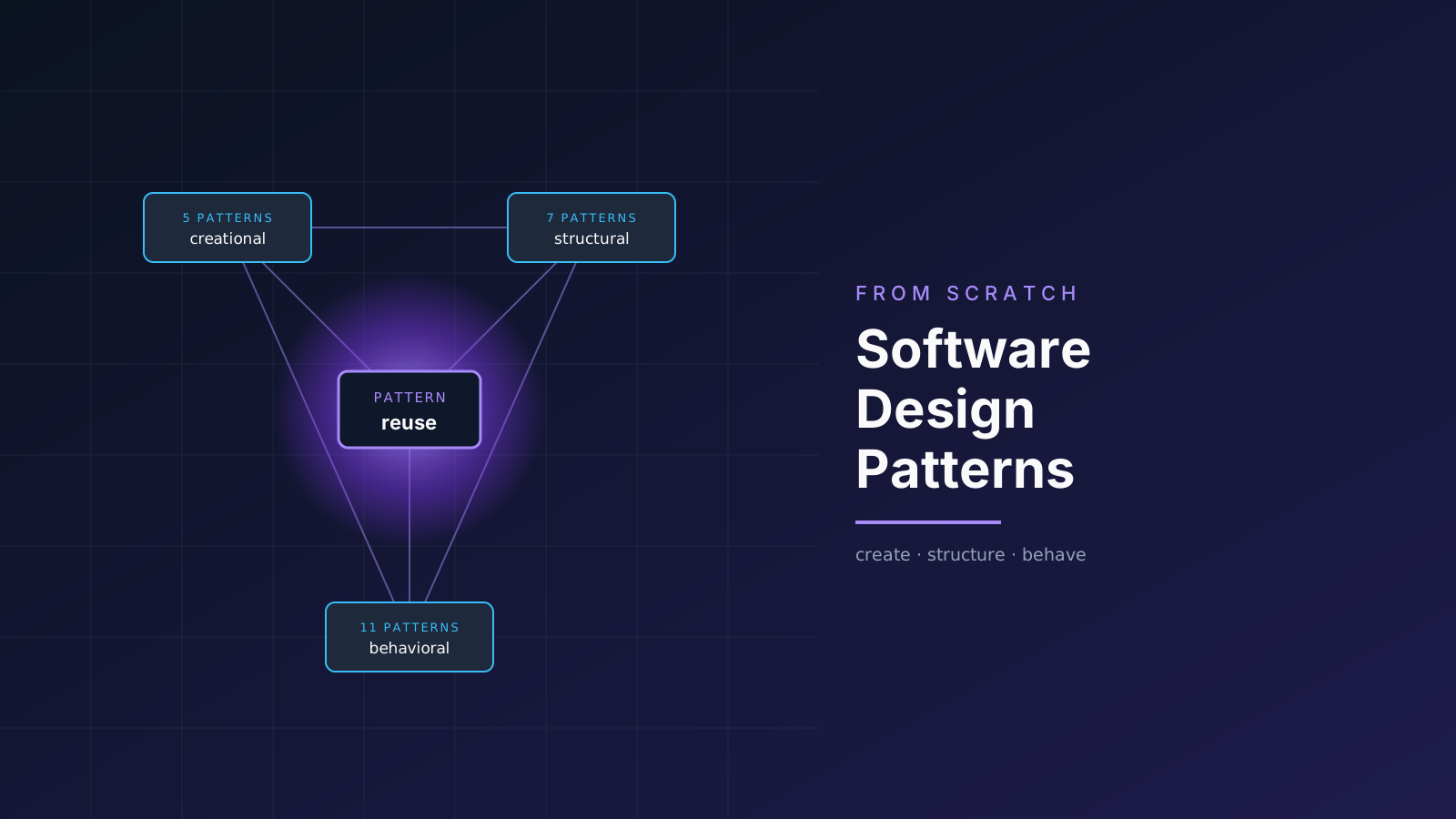
Most explanations of design patterns begin in the wrong place. You get a catalog of twenty three names, a UML diagram bolted onto each one, and a promise that memorizing them will make you a better engineer. So you memorize them, pass the interview, and forget the lot by the next sprint.
A catalog is a bad place to begin. A question is a better one.
Why do two engineers who have never met still understand each other the moment one of them says "just wrap it in an adapter"?
TL;DR
A design pattern is a named, reusable solution to a problem that keeps showing up. The Gang of Four cataloged 23 of them in 1994, split into three families: Creational (how objects get made), Structural (how objects get composed), and Behavioral (how objects talk and share work). Patterns are vocabulary first and code second. Learn the problem each one solves, not the diagram.
Part 1: What a Pattern Actually Is
In the 1970s an architect named Christopher Alexander noticed something about good buildings. The same solutions appeared again and again across cultures that had never met. A courtyard to bring light into the center of a house. A window seat where people naturally want to sit. He called these recurring solutions patterns, and he wrote that each one "describes a problem which occurs over and over again, and then describes the core of the solution to that problem, in such a way that you can use this solution a million times over, without ever doing it the same way twice."
In 1994 four engineers (Erich Gamma, Richard Helm, Ralph Johnson, and John Vlissides, forever known as the Gang of Four) borrowed that idea for software. They looked at thousands of object-oriented programs and noticed the same shapes appearing over and over. They gave those shapes names and wrote them down. That book, Design Patterns: Elements of Reusable Object-Oriented Software, is why an engineer in Tokyo and an engineer in Berlin can both say "observer" and mean the exact same thing.
That history points at a definition more honest than the textbook one:
A design pattern is a tested, named solution to a problem that recurs in a particular context. It is a blueprint, not a finished part.
That last sentence matters. A pattern is not a library you import. It is not code you copy and paste. It is a description of how to shape your code to solve a known problem. Two engineers can implement the same pattern in two very different ways and both be correct.
Why bother learning them
There are a few real reasons, and "interviews" is not one of them.
- Vocabulary. Patterns compress a paragraph of explanation into one word. "Just put a facade in front of the billing subsystem" replaces five minutes of whiteboarding.
- Pre-solved problems. Someone already hit this wall and found a way through. You get to skip the trial and error.
- A trained eye. Once you know the patterns, you start seeing them in code you read. Frameworks stop looking like magic and start looking like patterns you recognize.
The Trap Nobody Warns You About
The danger of learning patterns is that you start wanting to use them. A pattern applied to a problem that did not need it is worse than no pattern at all, because now you have extra abstraction with no payoff. Patterns are a response to pain. No pain, no pattern.
Part 2: The Principles Underneath Every Pattern
Read enough of the catalog and something shows through: almost every pattern is the same handful of ideas, recombined. Once those ideas click, the patterns stop being twenty three separate things to memorize and turn into obvious variations on a theme.
Idea 1: Program to an interface, not an implementation
Depend on what something does, not how it does it. If your code only knows that an object has a .send() method, you can swap an email sender for an SMS sender for a fake test sender without changing a line.
from abc import ABC, abstractmethod


class Notifier(ABC):
    """The interface: what we depend on."""

    @abstractmethod
    def send(self, message: str) -> None: ...


class EmailNotifier(Notifier):
    def send(self, message: str) -> None:
        print(f"Emailing: {message}")


class SmsNotifier(Notifier):
    def send(self, message: str) -> None:
        print(f"Texting: {message}")


def alert(notifier: Notifier, message: str) -> None:
    # This function has no idea which kind of notifier it got.
    # It only knows the interface. That is the whole point.
    notifier.send(message)
Idea 2: Favor composition over inheritance
Inheritance ("a SavingsAccount is an Account") is rigid. It is decided at compile time and it is hard to change. Composition ("a Car has an Engine") is flexible. You can swap the engine at runtime. Most patterns prefer composition because it bends without breaking.
Idea 3: Encapsulate what varies
Find the part of your system that changes most often, and wrap it so the change stays in one place. If payment methods keep getting added, isolate "payment method" behind an interface. The rest of the system never feels the churn.
Idea 4: The SOLID principles
SOLID is five rules that, followed together, push you toward code that patterns fit into naturally.
| Letter | Principle | In one sentence |
|---|---|---|
| S | Single Responsibility | A class should have one reason to change. |
| O | Open/Closed | Open to extension, closed to modification. |
| L | Liskov Substitution | Subtypes must be usable anywhere their base type is. |
| I | Interface Segregation | Many small interfaces beat one fat one. |
| D | Dependency Inversion | Depend on abstractions, not concretions. |
You do not need to memorize these. What matters is spotting how often a pattern turns out to be one of them wearing a costume.
Part 3: Creational Patterns
These five patterns are all about one question: how do objects get created? The naive answer is "you call the constructor." These patterns exist for every situation where that simple answer causes pain.
Factory Method
The problem: Your code needs to create objects, but you do not want it hardwired to specific classes. Picture a logistics app that started with trucks. Now it needs ships. Every Truck() call in your codebase is a place you have to touch.
The idea: Move object creation into a dedicated method that subclasses can override. The caller asks for "a transport" and gets the right one without knowing which.
from abc import ABC, abstractmethod


class Transport(ABC):
    @abstractmethod
    def deliver(self) -> str: ...


class Truck(Transport):
    def deliver(self) -> str:
        return "Delivering by land in a box."


class Ship(Transport):
    def deliver(self) -> str:
        return "Delivering by sea in a container."


class Logistics(ABC):
    # The "factory method". Subclasses decide what to build.
    @abstractmethod
    def create_transport(self) -> Transport: ...

    def plan_delivery(self) -> str:
        # Notice: this method works without knowing the concrete class.
        transport = self.create_transport()
        return transport.deliver()


class RoadLogistics(Logistics):
    def create_transport(self) -> Transport:
        return Truck()


class SeaLogistics(Logistics):
    def create_transport(self) -> Transport:
        return Ship()


print(RoadLogistics().plan_delivery())  # Delivering by land in a box.
print(SeaLogistics().plan_delivery())   # Delivering by sea in a container.
Use it when: you do not know ahead of time which concrete objects your code will need, and you want subclasses to make that call.
Abstract Factory
The problem: You need to create families of related objects that must go together. A UI toolkit needs a button, a checkbox, and a scrollbar that all match the same look. A Windows button next to a macOS checkbox would look broken.
The idea: A factory whose job is producing a whole matching set. Swap the factory, and the entire family swaps with it.
from abc import ABC, abstractmethod


class Button(ABC):
    @abstractmethod
    def render(self) -> str: ...


class Checkbox(ABC):
    @abstractmethod
    def render(self) -> str: ...


class MacButton(Button):
    def render(self) -> str:
        return "[ rounded mac button ]"


class MacCheckbox(Checkbox):
    def render(self) -> str:
        return "[ mac checkbox ]"


class WinButton(Button):
    def render(self) -> str:
        return "[ square windows button ]"


class WinCheckbox(Checkbox):
    def render(self) -> str:
        return "[ windows checkbox ]"


class GuiFactory(ABC):
    @abstractmethod
    def create_button(self) -> Button: ...

    @abstractmethod
    def create_checkbox(self) -> Checkbox: ...


class MacFactory(GuiFactory):
    def create_button(self) -> Button:
        return MacButton()

    def create_checkbox(self) -> Checkbox:
        return MacCheckbox()


class WinFactory(GuiFactory):
    def create_button(self) -> Button:
        return WinButton()

    def create_checkbox(self) -> Checkbox:
        return WinCheckbox()


def build_form(factory: GuiFactory) -> None:
    # The whole form is guaranteed to be one consistent style.
    print(factory.create_button().render())
    print(factory.create_checkbox().render())


build_form(MacFactory())
build_form(WinFactory())
Use it when: your system needs to work with several families of related products, and you want to guarantee the parts always match.
Factory Method vs Abstract Factory
Factory Method makes one product through a single overridable method. Abstract Factory makes a family of matching products through an object with several methods. If you only ever build one kind of thing, you do not need Abstract Factory.
Builder
The problem: An object needs a lot of configuration to construct, and a constructor with twelve arguments is a nightmare. Half of them are optional. Nobody remembers the order. You end up with Pizza(True, False, True, None, 12, "thin", ...) and no idea what any of it means.
The idea: Build the object step by step with named, readable calls. The same construction process can produce different results.
from dataclasses import dataclass, field


@dataclass
class Pizza:
    size: str = "medium"
    crust: str = "regular"
    toppings: list[str] = field(default_factory=list)

    def __str__(self) -> str:
        return f"{self.size} {self.crust} pizza with {', '.join(self.toppings) or 'no toppings'}"


class PizzaBuilder:
    def __init__(self) -> None:
        self._pizza = Pizza()

    def size(self, size: str) -> "PizzaBuilder":
        self._pizza.size = size
        return self  # returning self is what enables chaining

    def crust(self, crust: str) -> "PizzaBuilder":
        self._pizza.crust = crust
        return self

    def add(self, topping: str) -> "PizzaBuilder":
        self._pizza.toppings.append(topping)
        return self

    def build(self) -> Pizza:
        return self._pizza


pizza = (
    PizzaBuilder()
    .size("large")
    .crust("thin")
    .add("mushroom")
    .add("basil")
    .build()
)
print(pizza)  # large thin pizza with mushroom, basil
Use it when: constructing an object involves many optional steps, or you want the same build process to create different representations. You see this everywhere in real code: query builders, HTTP request builders, test data builders.
Prototype
The problem: Creating an object from scratch is expensive (a database read, a heavy computation), but you need many similar copies. Re-running the expensive setup each time is wasteful.
The idea: Build one fully-formed object, then clone it. Copying an existing object is often far cheaper than constructing a new one.
import copy
from dataclasses import dataclass, field


@dataclass
class Document:
    title: str
    styles: dict = field(default_factory=dict)
    content: list[str] = field(default_factory=list)

    def clone(self) -> "Document":
        # deepcopy so the copy does not share mutable state with the original
        return copy.deepcopy(self)


# Set up an expensive, fully-styled template once.
template = Document(title="Template")
template.styles = {"font": "Geist", "margin": "1in", "theme": "dark"}

# Now stamp out copies cheaply, each independent.
report = template.clone()
report.title = "Q3 Report"
report.content.append("Revenue is up.")

memo = template.clone()
memo.title = "Memo"

print(report.title, report.styles["theme"])  # Q3 Report dark
print(memo.content)                           # [] (independent from report)
Use it when: object creation is costly and you need many near-identical copies, or you want to create objects without coupling to their concrete classes.
Singleton
The problem: Some things should exist exactly once. A single configuration object. A single connection pool. You want everyone in the app to share the same instance.
The idea: Make the class responsible for ensuring only one instance exists, and give everyone a single point of access to it.
class Config:
    _instance = None

    def __new__(cls) -> "Config":
        if cls._instance is None:
            cls._instance = super().__new__(cls)
            cls._instance.settings = {}  # runs only once
        return cls._instance


a = Config()
a.settings["theme"] = "dark"

b = Config()
print(b.settings)       # {'theme': 'dark'} (same object)
print(a is b)           # True
Use it when: you genuinely need exactly one instance with global access.
Singleton Is the Most Abused Pattern
Singleton is global state in a nicer outfit. It makes testing hard (you cannot easily swap it for a fake), it hides dependencies (a class that grabs the singleton internally never declares it needs one), and it creates spooky action at a distance. Most of the time, what you actually want is to create one instance at startup and pass it in explicitly. Reach for Singleton last, not first.
Part 4: Structural Patterns
These seven patterns answer a different question: how do you compose objects into larger structures without the whole thing turning rigid? They are about assembly.
Adapter
The problem: You have a class that does what you need, but its interface is wrong. A third-party library returns XML and your code speaks JSON. You cannot change the library. You cannot change your code. They need to talk anyway.
The idea: Write a wrapper that translates one interface into another. Like a plug adapter for a foreign outlet.
class LegacyPrinter:
    """Old library. Its method name is wrong for us, and we cannot edit it."""

    def print_in_caps(self, text: str) -> None:
        print(text.upper())


class Printer:
    """The interface our app expects."""

    def output(self, text: str) -> None: ...


class PrinterAdapter(Printer):
    def __init__(self, legacy: LegacyPrinter) -> None:
        self._legacy = legacy

    def output(self, text: str) -> None:
        # Translate our call into the call the legacy class understands.
        self._legacy.print_in_caps(text)


printer: Printer = PrinterAdapter(LegacyPrinter())
printer.output("hello")  # HELLO
Use it when: you want to use an existing class but its interface does not match what you need. Especially common when integrating third-party or legacy code.
Bridge
The problem: You have two dimensions that both vary, and inheritance forces you to multiply them. Shapes (circle, square) times colors (red, blue) means RedCircle, BlueCircle, RedSquare, BlueSquare. Add a triangle and a green, and the class count explodes.
The idea: Split the two dimensions into separate hierarchies and connect them with a reference (the "bridge"). Now shape and color vary independently.
from abc import ABC, abstractmethod


class Color(ABC):
    @abstractmethod
    def fill(self) -> str: ...


class Red(Color):
    def fill(self) -> str:
        return "red"


class Blue(Color):
    def fill(self) -> str:
        return "blue"


class Shape(ABC):
    def __init__(self, color: Color) -> None:
        self.color = color  # the bridge: a shape HAS a color

    @abstractmethod
    def draw(self) -> str: ...


class Circle(Shape):
    def draw(self) -> str:
        return f"A {self.color.fill()} circle"


class Square(Shape):
    def draw(self) -> str:
        return f"A {self.color.fill()} square"


print(Circle(Red()).draw())   # A red circle
print(Square(Blue()).draw())  # A blue square
# Adding a new color or a new shape now costs one class, not many.
Use it when: a class varies along two or more independent axes and you want to avoid a combinatorial explosion of subclasses.
Composite
The problem: You are working with a tree: files and folders, where a folder can contain files and other folders. You want to treat a single file and a whole folder the same way. Calling .size() should work on either.
The idea: Make the leaf and the container implement the same interface. The container just forwards the call to its children. Client code stops caring whether it holds one thing or a thousand.
from abc import ABC, abstractmethod


class FileSystemNode(ABC):
    @abstractmethod
    def size(self) -> int: ...


class File(FileSystemNode):  # leaf
    def __init__(self, kb: int) -> None:
        self.kb = kb

    def size(self) -> int:
        return self.kb


class Folder(FileSystemNode):  # composite
    def __init__(self, name: str) -> None:
        self.name = name
        self.children: list[FileSystemNode] = []

    def add(self, node: FileSystemNode) -> None:
        self.children.append(node)

    def size(self) -> int:
        # Same .size() call, whether the child is a File or another Folder.
        return sum(child.size() for child in self.children)


root = Folder("root")
root.add(File(100))
sub = Folder("sub")
sub.add(File(50))
sub.add(File(25))
root.add(sub)

print(root.size())  # 175
Use it when: you need to represent part-whole hierarchies and want clients to treat individual objects and compositions uniformly.
Decorator
The problem: You want to add behavior to individual objects without subclassing. A coffee can have milk, then sugar, then whipped cream, in any combination. Making a CoffeeWithMilkAndSugar class for every combination is hopeless.
The idea: Wrap an object in another object that adds behavior, then wrap that, and so on. Each layer adds one feature. You stack them like onions.
from abc import ABC, abstractmethod


class Coffee(ABC):
    @abstractmethod
    def cost(self) -> float: ...

    @abstractmethod
    def describe(self) -> str: ...


class Espresso(Coffee):
    def cost(self) -> float:
        return 2.0

    def describe(self) -> str:
        return "espresso"


class CoffeeDecorator(Coffee):
    def __init__(self, wrapped: Coffee) -> None:
        self._wrapped = wrapped


class Milk(CoffeeDecorator):
    def cost(self) -> float:
        return self._wrapped.cost() + 0.5

    def describe(self) -> str:
        return self._wrapped.describe() + " + milk"


class Sugar(CoffeeDecorator):
    def cost(self) -> float:
        return self._wrapped.cost() + 0.25

    def describe(self) -> str:
        return self._wrapped.describe() + " + sugar"


order = Sugar(Milk(Espresso()))  # stack the layers
print(order.describe())          # espresso + milk + sugar
print(order.cost())              # 2.75
Use it when: you want to add responsibilities to objects dynamically and in combination, without an explosion of subclasses. Python's own @decorator syntax is this idea applied to functions.
Facade
The problem: A subsystem is complicated. To convert a video you have to call a codec detector, a buffer reader, an audio mixer, and a writer, in the right order. Every caller having to know all that is a burden.
The idea: Provide one simple front door that hides the messy internals. The facade does the orchestration so callers do not have to.
class CodecDetector:
    def detect(self, file: str) -> str:
        return "h264"


class AudioMixer:
    def mix(self, file: str) -> str:
        return "mixed audio"


class VideoWriter:
    def write(self, data: str, fmt: str) -> str:
        return f"{data} written as {fmt}"


class VideoConverter:
    """The facade: one method instead of four objects and an order to remember."""

    def convert(self, file: str, fmt: str) -> str:
        codec = CodecDetector().detect(file)
        audio = AudioMixer().mix(file)
        return VideoWriter().write(f"{file} [{codec}, {audio}]", fmt)


print(VideoConverter().convert("clip.mov", "mp4"))
Use it when: you want a simple interface to a complex subsystem. Most well-designed libraries expose a facade as their public API and keep the complexity inside.
Flyweight
The problem: You need a huge number of objects and they are eating your memory. A forest with a million trees, where each tree stores its mesh, texture, and color. Storing all of that a million times is wasteful, because most of it repeats.
The idea: Separate the data that is shared (intrinsic: the mesh and texture, identical across all oak trees) from the data that is unique (extrinsic: position). Share the heavy common part across all instances.
class TreeType:
    """Flyweight: the heavy data, shared by every tree of this type."""

    def __init__(self, name: str, texture: str) -> None:
        self.name = name
        self.texture = texture  # imagine this is megabytes


class TreeFactory:
    _types: dict[str, TreeType] = {}

    @classmethod
    def get_type(cls, name: str, texture: str) -> TreeType:
        key = f"{name}:{texture}"
        if key not in cls._types:
            cls._types[key] = TreeType(name, texture)  # created once
        return cls._types[key]  # reused forever after


class Tree:
    """Each tree stores only its unique position, plus a pointer to the shared type."""

    def __init__(self, x: int, y: int, kind: TreeType) -> None:
        self.x, self.y = x, y
        self.kind = kind


forest = [
    Tree(x, 0, TreeFactory.get_type("oak", "oak.png"))
    for x in range(1_000_000)
]
# One million trees, but only ONE TreeType object in memory.
print(len(TreeFactory._types))  # 1
Use it when: you must support a very large number of objects that share most of their state. It is a memory optimization, so only reach for it when memory is actually the bottleneck.
Proxy
The problem: You want to control access to an object. Maybe it is expensive to create and you want to delay that (lazy loading). Maybe you want to add caching, logging, or an access check. But you do not want to change the object itself or the code that uses it.
The idea: Put a stand-in object in front of the real one. The proxy has the same interface, so callers cannot tell the difference, but it can do work before or after passing the call along.
from abc import ABC, abstractmethod


class Image(ABC):
    @abstractmethod
    def display(self) -> str: ...


class RealImage(Image):
    def __init__(self, filename: str) -> None:
        self.filename = filename
        self._load_from_disk()  # expensive, happens at construction

    def _load_from_disk(self) -> None:
        print(f"Loading {self.filename} from disk...")

    def display(self) -> str:
        return f"Showing {self.filename}"


class LazyImage(Image):
    """Proxy: defers the expensive load until display is actually called."""

    def __init__(self, filename: str) -> None:
        self.filename = filename
        self._real: RealImage | None = None

    def display(self) -> str:
        if self._real is None:
            self._real = RealImage(self.filename)  # load on first use
        return self._real.display()


img = LazyImage("huge.png")  # nothing loaded yet, instant
print("Created, not loaded.")
print(img.display())         # NOW it loads, then shows
Use it when: you need a placeholder that controls access to another object: lazy initialization, access control, caching, or logging.
Proxy, Decorator, Adapter, Facade Look Similar
All four wrap something, so beginners confuse them. The difference is intent. Adapter changes an interface. Decorator adds behavior while keeping the interface. Proxy controls access while keeping the interface. Facade simplifies a whole subsystem into a new, smaller interface. Same mechanism, different reason.
Part 5: Behavioral Patterns
Eleven patterns, all about the hardest part of object-oriented design: how do objects communicate and divide responsibility? This is where most of the subtlety lives.
Chain of Responsibility
The problem: A request needs to pass through several handlers, and you do not know in advance which one will deal with it. Think of an expense approval: a manager can approve up to 1000 dollars, a director up to 10000, the CFO above that.
The idea: Link handlers into a chain. Each one either handles the request or passes it to the next. The sender does not know or care who finally handles it.
from abc import ABC, abstractmethod


class Approver(ABC):
    def __init__(self) -> None:
        self._next: Approver | None = None

    def set_next(self, approver: "Approver") -> "Approver":
        self._next = approver
        return approver  # lets us chain set_next calls

    @abstractmethod
    def approve(self, amount: int) -> str: ...

    def _pass_on(self, amount: int) -> str:
        if self._next:
            return self._next.approve(amount)
        return "No one can approve this."


class Manager(Approver):
    def approve(self, amount: int) -> str:
        if amount <= 1000:
            return f"Manager approved ${amount}"
        return self._pass_on(amount)


class Director(Approver):
    def approve(self, amount: int) -> str:
        if amount <= 10000:
            return f"Director approved ${amount}"
        return self._pass_on(amount)


class CFO(Approver):
    def approve(self, amount: int) -> str:
        return f"CFO approved ${amount}"


manager = Manager()
manager.set_next(Director()).set_next(CFO())

print(manager.approve(500))    # Manager approved $500
print(manager.approve(5000))   # Director approved $5000
print(manager.approve(50000))  # CFO approved $50000
Use it when: more than one object can handle a request and the handler is not known up front. Middleware stacks in web frameworks are exactly this pattern.
Command
The problem: You want to turn a request into a standalone object. Why? So you can put it in a queue, log it, undo it, or pass it around. A simple method call cannot be stored or reversed.
The idea: Wrap an action and its arguments in an object with an execute() method (and often an undo()). Now an action is a thing you can hold.
from abc import ABC, abstractmethod


class Command(ABC):
    @abstractmethod
    def execute(self) -> None: ...

    @abstractmethod
    def undo(self) -> None: ...


class Light:
    def on(self) -> None:
        print("Light on")

    def off(self) -> None:
        print("Light off")


class TurnOn(Command):
    def __init__(self, light: Light) -> None:
        self.light = light

    def execute(self) -> None:
        self.light.on()

    def undo(self) -> None:
        self.light.off()


class Remote:
    """The invoker. It knows nothing about lights, only about commands."""

    def __init__(self) -> None:
        self.history: list[Command] = []

    def press(self, command: Command) -> None:
        command.execute()
        self.history.append(command)

    def undo_last(self) -> None:
        if self.history:
            self.history.pop().undo()


remote = Remote()
remote.press(TurnOn(Light()))  # Light on
remote.undo_last()             # Light off
Use it when: you need undo/redo, queuing, scheduling, or logging of operations. It is the backbone of every text editor's undo stack.
Iterator
The problem: You want to walk through the elements of a collection without exposing how the collection stores them internally. A list, a tree, and a graph all need traversal, but their internals differ wildly.
The idea: Provide a standard way to access elements one at a time. The collection hands out an iterator that knows how to advance. In Python this is so fundamental that the language builds it in.
class Fibonacci:
    """A collection that generates values on demand."""

    def __init__(self, limit: int) -> None:
        self.limit = limit

    def __iter__(self):
        a, b, count = 0, 1, 0
        while count < self.limit:
            yield a  # yield makes this an iterator automatically
            a, b = b, a + b
            count += 1


for n in Fibonacci(7):
    print(n, end=" ")  # 0 1 1 2 3 5 8
Use it when: you want uniform traversal over different collection types, or you want to hide a collection's internal structure. Every for loop in Python is this pattern in action.
Mediator
The problem: A set of objects all talk to each other directly, and the result is spaghetti. In a chat room, if every user holds a reference to every other user, adding or removing a user means rewiring everyone.
The idea: Introduce a mediator that sits in the middle. Objects talk to the mediator, not to each other. The web of connections becomes a star.
class ChatRoom:
    """The mediator. Users talk through it, never directly to each other."""

    def __init__(self) -> None:
        self._users: list["User"] = []

    def register(self, user: "User") -> None:
        self._users.append(user)

    def broadcast(self, sender: "User", message: str) -> None:
        for user in self._users:
            if user is not sender:
                user.receive(sender.name, message)


class User:
    def __init__(self, name: str, room: ChatRoom) -> None:
        self.name = name
        self.room = room
        room.register(self)

    def send(self, message: str) -> None:
        self.room.broadcast(self, message)

    def receive(self, sender: str, message: str) -> None:
        print(f"[{self.name}] {sender}: {message}")


room = ChatRoom()
alice = User("Alice", room)
bob = User("Bob", room)
alice.send("Hi everyone")  # [Bob] Alice: Hi everyone
Use it when: a group of objects communicate in complex ways and you want to decouple them. UI dialogs, where one widget's change affects others, are a classic case.
Memento
The problem: You want to save and restore an object's state without exposing its internals. An undo feature needs to snapshot the editor, but the editor should not have to make all its private fields public to allow it.
The idea: The object itself produces a "memento", an opaque snapshot of its state. Something else stores the memento and hands it back later to restore. The internals stay private.
class Editor:
    def __init__(self) -> None:
        self._text = ""

    def type(self, words: str) -> None:
        self._text += words

    def save(self) -> "Memento":
        return Memento(self._text)  # snapshot current state

    def restore(self, memento: "Memento") -> None:
        self._text = memento.state

    def __str__(self) -> str:
        return self._text


class Memento:
    def __init__(self, state: str) -> None:
        self.state = state  # the frozen snapshot


editor = Editor()
editor.type("Hello")
checkpoint = editor.save()  # snapshot
editor.type(", world")
print(editor)               # Hello, world
editor.restore(checkpoint)  # roll back
print(editor)               # Hello
Use it when: you need snapshots for undo, rollback, or transactions, and you want to preserve encapsulation while doing it. Memento often teams up with Command to build undo systems.
Observer
The problem: When one object changes, a bunch of others need to know, but you do not want the changing object hardwired to all of them. A spreadsheet cell changes, and every chart based on it should update. Hardcoding the charts into the cell is a dead end.
The idea: The subject keeps a list of observers and notifies them when something happens. Observers subscribe and unsubscribe freely. The subject does not know or care who is listening.
from abc import ABC, abstractmethod


class Observer(ABC):
    @abstractmethod
    def update(self, value: float) -> None: ...


class Stock:
    """The subject. It broadcasts changes without knowing its audience."""

    def __init__(self) -> None:
        self._observers: list[Observer] = []
        self._price = 0.0

    def subscribe(self, observer: Observer) -> None:
        self._observers.append(observer)

    def set_price(self, price: float) -> None:
        self._price = price
        for observer in self._observers:
            observer.update(price)  # notify everyone


class Display(Observer):
    def __init__(self, name: str) -> None:
        self.name = name

    def update(self, value: float) -> None:
        print(f"{self.name} sees new price: {value}")


stock = Stock()
stock.subscribe(Display("Dashboard"))
stock.subscribe(Display("Mobile app"))
stock.set_price(99.5)
# Dashboard sees new price: 99.5
# Mobile app sees new price: 99.5
Use it when: a change to one object must propagate to many others that you cannot list in advance. This pattern is the heart of event systems, reactive UIs, and the publish/subscribe model.
State
The problem: An object behaves differently depending on its internal state, and you have a thicket of if/elif checking that state in every method. A document is draft, then moderated, then published, and every action has to ask "what state am I in?"
The idea: Give each state its own class. The object delegates behavior to its current state object, and states can hand off to one another. The if/elif forest disappears.
from abc import ABC, abstractmethod


class State(ABC):
    @abstractmethod
    def publish(self, doc: "Document") -> None: ...


class Draft(State):
    def publish(self, doc: "Document") -> None:
        print("Sending to moderation.")
        doc.state = Moderation()


class Moderation(State):
    def publish(self, doc: "Document") -> None:
        print("Approved. Now public.")
        doc.state = Published()


class Published(State):
    def publish(self, doc: "Document") -> None:
        print("Already published. Nothing to do.")


class Document:
    def __init__(self) -> None:
        self.state: State = Draft()

    def publish(self) -> None:
        self.state.publish(self)  # behavior depends on current state


doc = Document()
doc.publish()  # Sending to moderation.
doc.publish()  # Approved. Now public.
doc.publish()  # Already published. Nothing to do.
Use it when: an object's behavior depends heavily on its state and you have sprawling conditionals managing transitions. State machines are the natural fit.
Strategy
The problem: You have several ways to do one thing, and you want to swap between them at runtime. Sorting can be quicksort or mergesort. A route can optimize for time, distance, or cost. Hardcoding one choice with conditionals is inflexible.
The idea: Define each algorithm as its own object behind a shared interface. The context holds one strategy and can swap it any time. This is arguably the most useful pattern in the whole catalog.
from abc import ABC, abstractmethod


class RouteStrategy(ABC):
    @abstractmethod
    def build(self, start: str, end: str) -> str: ...


class Fastest(RouteStrategy):
    def build(self, start: str, end: str) -> str:
        return f"Highway route from {start} to {end}"


class Scenic(RouteStrategy):
    def build(self, start: str, end: str) -> str:
        return f"Coastal route from {start} to {end}"


class Navigator:
    def __init__(self, strategy: RouteStrategy) -> None:
        self._strategy = strategy

    def set_strategy(self, strategy: RouteStrategy) -> None:
        self._strategy = strategy  # swap the algorithm at runtime

    def route(self, start: str, end: str) -> str:
        return self._strategy.build(start, end)


nav = Navigator(Fastest())
print(nav.route("A", "B"))  # Highway route from A to B
nav.set_strategy(Scenic())
print(nav.route("A", "B"))  # Coastal route from A to B
Use it when: you have multiple interchangeable algorithms and want to choose among them at runtime. Strategy is just "program to an interface" given a name, which is why it shows up constantly.
State vs Strategy
State and Strategy have identical structure: an object delegating to a swappable inner object. The difference is intent. With Strategy, the client picks the algorithm and the strategies do not know about each other. With State, the states drive the transitions themselves and know about each other. Same skeleton, opposite direction of control.
Template Method
The problem: Several algorithms share the same skeleton but differ in a few steps. Brewing coffee and brewing tea both mean boil water, steep or brew, pour, add condiments. Only the middle steps differ. Duplicating the skeleton in both is asking for bugs.
The idea: Put the fixed skeleton in a base class method, and let subclasses override only the steps that vary. The order is locked in one place.
from abc import ABC, abstractmethod


class Beverage(ABC):
    def prepare(self) -> None:
        # The template method: the fixed sequence lives here, once.
        self.boil_water()
        self.brew()
        self.pour()
        self.add_extras()

    def boil_water(self) -> None:
        print("Boiling water")

    def pour(self) -> None:
        print("Pouring into cup")

    @abstractmethod
    def brew(self) -> None: ...

    @abstractmethod
    def add_extras(self) -> None: ...


class Coffee(Beverage):
    def brew(self) -> None:
        print("Brewing grounds")

    def add_extras(self) -> None:
        print("Adding sugar and milk")


class Tea(Beverage):
    def brew(self) -> None:
        print("Steeping tea")

    def add_extras(self) -> None:
        print("Adding lemon")


Coffee().prepare()
Use it when: several routines are the same shape with a few differing steps. Frameworks lean on this heavily: they call your overridden hooks at the right moments while controlling the overall flow.
Visitor
The problem: You want to add new operations to a set of object types without modifying those types. You have shapes (circle, square, triangle) and you keep needing new operations on them: area, then export to SVG, then bounding box. Adding each new operation to every shape class is invasive.
The idea: Move the operation out into a "visitor" object. Each element accepts a visitor and calls back the right method. New operations become new visitor classes, and the element classes never change.
from abc import ABC, abstractmethod


class Shape(ABC):
    @abstractmethod
    def accept(self, visitor: "Visitor") -> str: ...


class Circle(Shape):
    def __init__(self, r: float) -> None:
        self.r = r

    def accept(self, visitor: "Visitor") -> str:
        return visitor.visit_circle(self)


class Square(Shape):
    def __init__(self, side: float) -> None:
        self.side = side

    def accept(self, visitor: "Visitor") -> str:
        return visitor.visit_square(self)


class Visitor(ABC):
    @abstractmethod
    def visit_circle(self, c: Circle) -> str: ...

    @abstractmethod
    def visit_square(self, s: Square) -> str: ...


class AreaVisitor(Visitor):
    def visit_circle(self, c: Circle) -> str:
        return f"Area: {3.14159 * c.r ** 2:.2f}"

    def visit_square(self, s: Square) -> str:
        return f"Area: {s.side ** 2:.2f}"


# To add an "export to SVG" operation, write one new Visitor class.
# None of the Shape classes need to change.
shapes: list[Shape] = [Circle(2), Square(3)]
area = AreaVisitor()
for shape in shapes:
    print(shape.accept(area))
Use it when: you have a stable set of element types but a growing set of operations on them. If the types change often instead, Visitor hurts more than it helps, because every visitor must then be updated.
Interpreter
The problem: You have a simple language or grammar to evaluate repeatedly: math expressions, search filters, routing rules. Parsing them by hand every time is messy.
The idea: Represent each grammar rule as a class, and build an expression as a tree of these objects. Evaluating the language becomes walking the tree.
from abc import ABC, abstractmethod


class Expr(ABC):
    @abstractmethod
    def evaluate(self) -> int: ...


class Num(Expr):
    def __init__(self, value: int) -> None:
        self.value = value

    def evaluate(self) -> int:
        return self.value


class Add(Expr):
    def __init__(self, left: Expr, right: Expr) -> None:
        self.left, self.right = left, right

    def evaluate(self) -> int:
        return self.left.evaluate() + self.right.evaluate()


class Mul(Expr):
    def __init__(self, left: Expr, right: Expr) -> None:
        self.left, self.right = left, right

    def evaluate(self) -> int:
        return self.left.evaluate() * self.right.evaluate()


# Represents: (2 + 3) * 4
tree = Mul(Add(Num(2), Num(3)), Num(4))
print(tree.evaluate())  # 20
Use it when: you need to interpret a small, stable language often. For anything beyond simple grammars, reach for a real parser generator instead. This is the least used pattern in practice, but it shows the idea clearly.
Part 6: Choosing a Pattern (and Knowing When Not To)
A map of all twenty three, grouped by the question each one answers.
| Family | Pattern | Solves |
|---|---|---|
| Creational | Factory Method | Defer which class to instantiate to subclasses |
| Creational | Abstract Factory | Create matching families of objects |
| Creational | Builder | Construct complex objects step by step |
| Creational | Prototype | Clone instead of building from scratch |
| Creational | Singleton | Guarantee one shared instance |
| Structural | Adapter | Make an incompatible interface fit |
| Structural | Bridge | Vary two dimensions independently |
| Structural | Composite | Treat trees and leaves uniformly |
| Structural | Decorator | Add behavior in stackable layers |
| Structural | Facade | Simplify a complex subsystem |
| Structural | Flyweight | Share state across many objects to save memory |
| Structural | Proxy | Control access to an object |
| Behavioral | Chain of Responsibility | Pass a request along a line of handlers |
| Behavioral | Command | Turn an action into an object |
| Behavioral | Iterator | Traverse a collection without exposing it |
| Behavioral | Mediator | Centralize tangled communication |
| Behavioral | Memento | Snapshot and restore state privately |
| Behavioral | Observer | Notify many objects of a change |
| Behavioral | State | Change behavior with internal state |
| Behavioral | Strategy | Swap algorithms at runtime |
| Behavioral | Template Method | Fix a skeleton, vary the steps |
| Behavioral | Visitor | Add operations without touching types |
| Behavioral | Interpreter | Evaluate a small language |
How to actually use this
Do not start with a pattern and look for a place to apply it. That is backwards, and it is the single most common way patterns go wrong. Start with a problem, feel the specific pain, and then ask whether a known solution fits.
A good rule of thumb:
- Write the simple version first. No patterns. Just code that works.
- Wait for pain. Duplicate code, a conditional that keeps growing, a change that ripples through ten files.
- Name the pain. "I keep adding
if payment_type ==branches." That is begging for Strategy. - Apply the smallest pattern that relieves it. Not the most clever one. The smallest one.
Patterns Are Not Free
Every pattern adds indirection, and indirection has a cost: more classes, more files, more hops to follow when reading the code. A pattern pays for itself only when the flexibility it buys is flexibility you actually need. Applying Strategy to a thing that will only ever have one algorithm is pure overhead. The goal is not "use patterns." The goal is "solve the problem with the least complexity that holds up."
A note on modern languages
The Gang of Four wrote for C++ and Smalltalk in 1994. Some of their patterns were workarounds for things those languages lacked. In a modern language, a few patterns nearly vanish into a single feature:
- Strategy is often just passing a function. Python has first-class functions, so you frequently do not need a class hierarchy at all.
- Iterator is built into the language with
__iter__and generators. - Command can be a closure.
- Singleton is often just a module-level object, since Python modules are already single instances.
This does not make the patterns wrong. It means the idea survives while the implementation gets lighter. Knowing the pattern tells you what you are reaching for. The language tells you how little code it takes to get there.
Conclusion
Design patterns are not a checklist to grind through. They are the distilled experience of engineers who hit the same walls you are about to hit, written down so you do not have to find the way around each one alone.
The part worth holding onto is small. Patterns answer pain, they are not a goal in themselves. Learn the problem each one solves, so you recognize the shape when it turns up in your own code. Reach for the smallest pattern that relieves the pain, and when the plain version already works, leave it be.
What you actually walk away with is the names. Once "this is just an observer" or "we need an adapter here" is part of how you think, you have stopped writing code in isolation. You are in a conversation with every engineer who solved this before you, in words you all share.
Where to go deeper
These are the sources worth your time, in rough order of how approachable they are:
- Refactoring.Guru: Design Patterns is the best free reference online, with clear diagrams and code in many languages.
- SourceMaking: Design Patterns covers the same ground with a heavier focus on the original intent.
- Head First Design Patterns by Freeman and Robson is the friendliest book to start with, and it builds real intuition rather than rote definitions.
- Design Patterns: Elements of Reusable Object-Oriented Software by Gamma, Helm, Johnson, and Vlissides is the original 1994 catalog. It is dense and the examples are dated, but it is the source everything else draws from. Keep it on the shelf as a reference.
- Patterns of Enterprise Application Architecture by Martin Fowler extends the idea to the patterns hiding inside the frameworks you already use every day.
Working through patterns in real code, or arguing about whether a Singleton was ever justified? I would enjoy that conversation. Find me on LinkedIn.